
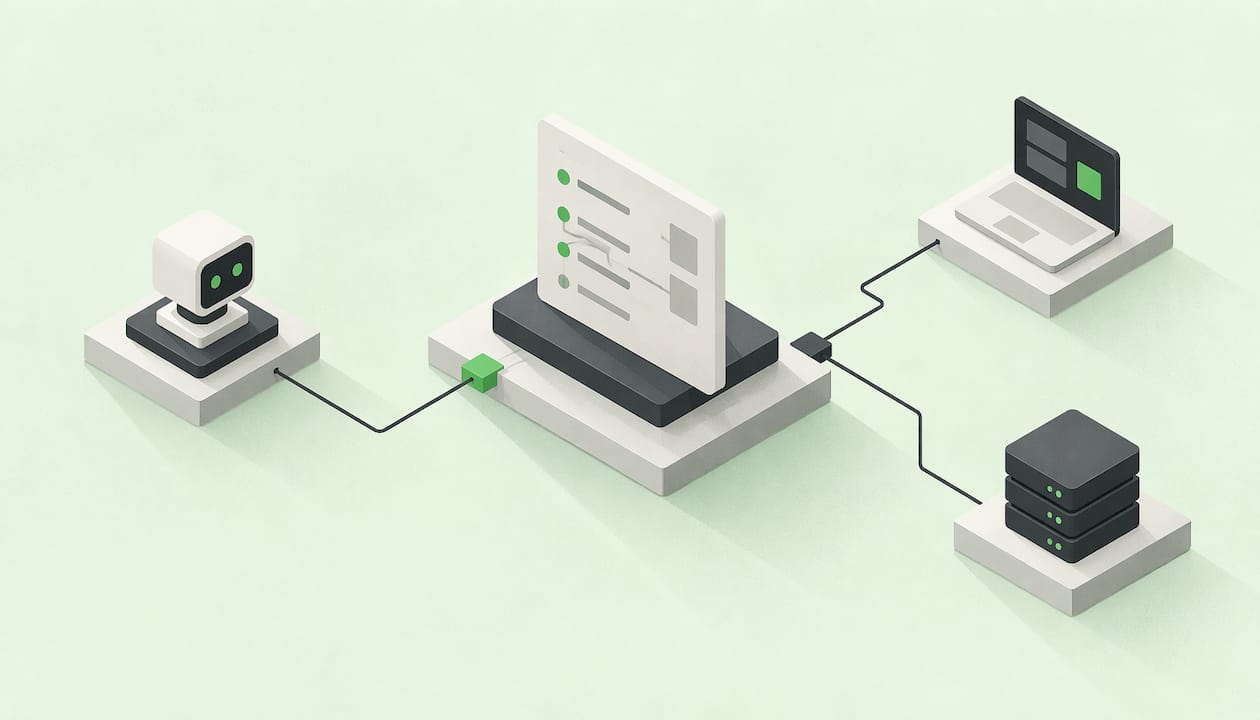
An API works for AI agents when a model can find the right operation, build a valid request, understand the result and recover from errors, using nothing but text. In practice that means strict JSON Schema inputs, descriptions that say when to call each operation, structured errors, and a standard way to serve it, usually the Model Context Protocol (MCP). This guide covers what to put in the schema, how to expose an API you already have, and how to avoid maintaining a separate agent version of your logic.
TL;DR
- Agents read text, not your source code. Names, descriptions and JSON Schema are the whole interface.
- Describe each operation with a stable name, when to use it, typed inputs that reject unknown fields, small responses and structured errors.
- To expose an existing REST API, you can convert its OpenAPI specification into MCP tools, then add authentication, permissions and testing.
- Keep one schema and one implementation behind your web, CLI, API and agent surfaces so they never drift apart.
- NexusBloom generates all of those surfaces from one JSON Schema manifest plus one pure function.
Table of Contents
- How AI agents actually use an API
- What makes an API usable by an agent
- How to expose an existing API to AI agents
- Authentication, permissions and testing
- The drift problem: one schema, many surfaces
- Perspective: write the tool once
- Choosing how to serve your tools
- Try it with NexusBloom
- A short pre-launch checklist
- FAQ
- Sources
How AI agents actually use an API
An agent does not browse your documentation the way a developer does. A model decides to call a tool, a runtime executes it, and the structured result goes back into the model's context. The MCP tools specification separates those two steps explicitly: tool definitions carry an inputSchema so the model can pass structured parameters, and an optional outputSchema so it can parse structured results.
That is why a plain REST endpoint is often not enough on its own. The endpoint may work perfectly for a human-written client, yet the model has no way to know when to call it, which fields are required, or what an error means. MCP grew out of exactly this problem: teams had to build separate custom integrations for each tool or platform, which made agent systems harder to maintain and scale.
So "an API for AI agents" really means two things: an interface the model can understand, and a transport that agent platforms already speak.
What makes an API usable by an agent
The o11 evaluation framework for agent-ready APIs gives a useful test: a model should be able to find the appropriate operation, construct a valid request, understand the result, and recover when work does not complete normally. Each of those four abilities maps to something you can design.

Discovery: names and descriptions
The IETF draft on agent-friendly HTTP APIs recommends stable, intent-revealing operation identifiers and descriptions that state when to use an operation and what side effects it has. Compare these two:
post_v2_xwith the description "Handles invoices."create_invoice_draftwith the description "Creates a draft invoice for an existing customer. Does not send it or charge anything. Usesend_invoiceafterwards."
The second one lets a model choose correctly between five similar tools. The first forces it to guess.
Input clarity: strict, typed schemas
The same draft asks for strictly typed inputs with fixed values, rejecting unknown properties. Zorost's tool design guide makes the same point in practical terms: constrain the schema to the smallest legal set, use enums for closed sets, and set additionalProperties: false so unknown fields fail loudly instead of being silently ignored. It also recommends stable id formats produced by other tools, which cuts down on hallucinated identifiers.
A minimal example:
{
  "name": "create_invoice_draft",
  "description": "Creates a draft invoice for an existing customer. Does not send or charge.",
  "inputSchema": {
    "type": "object",
    "properties": {
      "customer_id": { "type": "string", "description": "Id returned by find_customer" },
      "currency": { "type": "string", "enum": ["USD", "EUR", "GBP"] },
      "amount_cents": { "type": "integer", "minimum": 1 }
    },
    "required": ["customer_id", "currency", "amount_cents"],
    "additionalProperties": false
  }
}
Notice the units are in the field name, the currency is a closed set, and the id says where it comes from.
Result usefulness: small, described responses
Agents pay for every token they read. The IETF draft recommends small, field-selectable responses, and the field list above in the schema guidance includes described fields and units. Return what the next step needs, not the whole database row. If you can declare an outputSchema, do, so the model knows the shape before it calls.
Recovery: structured errors and idempotency
When something fails, a model needs a code it can branch on and a hint about what to do next. The draft recommends structured errors with stable codes and retry guidance, plus documented idempotency for state-changing operations. Without idempotency, a retry after a timeout can create a second invoice, a second booking or a second charge.
The seven-part tool contract
Zorost describes a tool definition as a contract with seven parts: name, one-line purpose, typed argument schema with constraints, required-versus-optional split, one worked example, declared side effects, and a declared cost or latency class. It adds that the model only sees text, so anything important must live in the name, the description or the parameter descriptions. Use it as a checklist when you review each tool.
| Part | What the agent gets from it | Example |
|---|---|---|
| Name | Which tool to pick | create_invoice_draft |
| Purpose | When to use it | One sentence, plain words |
| Typed schema | Valid arguments | Enums, minimums, required fields |
| Required vs optional | What it must ask the user | Only customer_id, currency, amount_cents required |
| Worked example | A pattern to imitate | One realistic call |
| Side effects | Whether it is safe to try | "Does not send or charge" |
| Cost class | Whether to call it in a loop | "Fast, no external calls" |
How to expose an existing API to AI agents
If you already have a REST API with an OpenAPI specification, you do not need to start over. AWS describes converting the OpenAPI specification into MCP tools with FastMCP, which keeps the MCP server stateless and configuration-driven. The pattern works with any application that exposes an OpenAPI specification, because the documentation in the spec already explains what each endpoint does and how to call it. AWS also recommends handling authentication and authorization, deploying with a sidecar pattern, and testing and iterating.
A practical sequence:
- Audit the spec. Every operation needs a clear identifier, a description and typed parameters. Automatic conversion only carries over what the spec contains, so thin descriptions become thin tools.
- Pick a subset. Do not expose all 200 endpoints. Agents choose better from 15 well-described tools than from a long list of near-duplicates.
- Rewrite descriptions for a model. Add when to use the operation, what it changes, and what to call next.
- Convert and serve. Generate MCP tools from the spec and run the server locally over stdio or remotely over HTTP.
- Add auth and limits. See the next section.
- Test with a real agent. Watch which tool it picks and where it gets confused, then fix the descriptions rather than the prompt.
OpenAPI describes what an API does, while MCP standardizes how agents connect to it at runtime, so you generally want both: the spec as the source description, MCP as the way agents reach it.
Authentication, permissions and testing
Agents call your API without a person clicking through a consent screen, so authentication has to work without human steps. According to the APILayer guide on agent-ready APIs, agents need programmatic, documented authentication without browser redirects or manual intervention, and API keys and OAuth client-credentials flows suit automated workflows.
The security considerations in the MCP tools specification are specific about who does what:
- Servers must validate all tool inputs, implement proper access controls, rate limit tool invocations and sanitize tool outputs.
- Clients should prompt for user confirmation on sensitive operations, show tool inputs before calling, validate results before passing them to the model, implement timeouts and log tool usage for audit.
- Clients should treat tool annotations as untrusted unless they come from a trusted server.
For your own tools, that translates into a few rules. Give each agent credentials with the narrowest scope that does the job. Mark destructive operations clearly in the description and the annotations. Keep an audit log of calls. Put a rate limit on every tool, because a looping agent can generate more requests in a minute than a person does in a day.
For testing, run a small set of realistic tasks against the tools and record three things: which tool the agent picked, whether the arguments validated on the first try, and what it did after an error. Most failures trace back to an unclear description or a loose schema, both of which you can fix in the definition.
The drift problem: one schema, many surfaces
Here is where most teams get hurt. You build the logic for the web app. Then someone needs a CLI command, so you reimplement it. Then a partner wants an API, so you write it a third time. Then the agent tool becomes a fourth copy, with a slightly different validation rule and a slightly different error message. Six months later the same operation behaves differently depending on where it runs, and an agent that works in staging misbehaves in production.
The fix is structural: one schema, one execution path, many surfaces. The schema defines inputs and outputs; a single pure function does the work; every surface is a thin generated layer on top. If you want to see how a catalog of such definitions stays accurate over time, our guide to building an API catalog goes through it. If your agent stack uses an OpenAI-compatible provider, this walkthrough of AI SDK setup, tools and memory shows where tools plug in.

To draft a payload or a schema fragment by hand first, the free JSON Creator is a quick place to start.
Perspective: write the tool once
We built NexusBloom around one observation: the hard part of giving agents an API is rarely the first tool. It is the fourth surface, the second edit and the third place a validation rule has to be changed.
Our approach is to write one file: a JSON Schema manifest plus one pure function. From that file we serve the same logic as a web page, a CLI command, an API endpoint and an AI agent tool, with the same schema and the same execution everywhere. The schema that an agent sees is the schema your web form validates against, so there is no second copy to forget.
We think this is the right shape for agent work in particular, because agents punish ambiguity. A loose schema or an inconsistent error means a wrong tool call. Making the schema the single source of truth is how we aim to make tools behave the same wherever they run, and it is the reason developers building MCP integrations are who we build for.
Benjamin
Choosing how to serve your tools
There are three broad routes, and the right one depends on what you already have.
| Route | Best when | What you maintain |
|---|---|---|
| Convert an existing OpenAPI spec | You have a mature REST API and want agent access quickly | The spec, plus an MCP layer and its descriptions |
| Hand-write MCP tools | You need a few carefully designed tools | Tool code and schemas, separately from your API |
| Define logic once and generate every surface | You are starting new logic, or tired of maintaining parallel versions | One manifest and one function |
The first route is the fastest way to get an existing API in front of agents. The second gives you full control but multiplies the code you own. The third removes the duplication for new logic, which is where drift starts.
Whichever route you pick, review each tool against the contract above before you ship it. A tool that passes the checklist is easier for any agent platform to use correctly.
Try it with NexusBloom
If you are building tools for agents and want the schema, the function and every surface to stay in sync, NexusBloom is built for that. You define the logic once and we generate the web page, CLI command, API endpoint and agent tooling from it.

There is a Free plan at €0, Creator at €9 per month and Pro at €29 per month, all on the NexusBloom pricing page. You can read more about the idea on the NexusBloom home page, where the tagline says it plainly: write your tool once, run it everywhere.
A short pre-launch checklist
Before you publish a tool to an MCP directory or hand it to an internal agent, run through this list:
- The name says what it does and will not change.
- The description says when to use it, when not to, and what it changes.
- Every input is typed, enums cover closed sets, and unknown properties are rejected.
- The response is small, with described fields and units.
- Errors carry stable codes and retry guidance.
- State-changing calls are idempotent or clearly marked.
- Auth works without a browser, with narrow scopes.
- Calls are rate limited and logged.
- A real agent has run realistic tasks against it.
- The same logic runs behind every other surface, not a copy of it.
FAQ
Can AI agents replace APIs?
No. Agents use APIs as tools. A model decides what to do, and an API or tool executes the action and returns a structured result. MCP sits between the two by standardizing how agents connect to the operations your API already offers.
What is the easiest way to convert an API into AI tools?
If you have an OpenAPI specification, you can generate MCP tools from it, as AWS describes in its guidance on exposing existing applications to agents. Then rewrite the descriptions for a model, expose only the operations an agent needs, and add authentication and rate limits.
What should a tool description include?
A stable name, a one-line purpose, when to use it, typed arguments with allowed values, which fields are required, any side effects, and ideally one worked example. The IETF draft also asks for structured errors with retry guidance and documented idempotency for operations that change state.
Do I need MCP, or is OpenAPI enough?
OpenAPI describes what your API does, and many agent frameworks can read it. MCP standardizes how agents connect and call tools at runtime, and its tool definitions carry JSON Schema inputs and optional outputs. Many teams keep both, with the spec as the description and MCP as the access layer.
Is a free plan enough to try this?
You can start on the Free plan, which costs €0, and move to Creator at €9 per month or Pro at €29 per month as your projects grow. Current plan details are on the pricing page.
Sources
- MCP specification: Tools (2025-06-18)
- IETF draft: agent-friendly HTTP API profile
- An Evaluation Framework for Agent-Ready APIs
- Tool design: typed contracts an agent can actually use
- Enabling AI agents to interact with existing applications (AWS)
- AI Agents Are the New API Users: Agent-Ready Guide 2026
- Model Context Protocol: What it is and why it matters (SAS)